معرض الصور
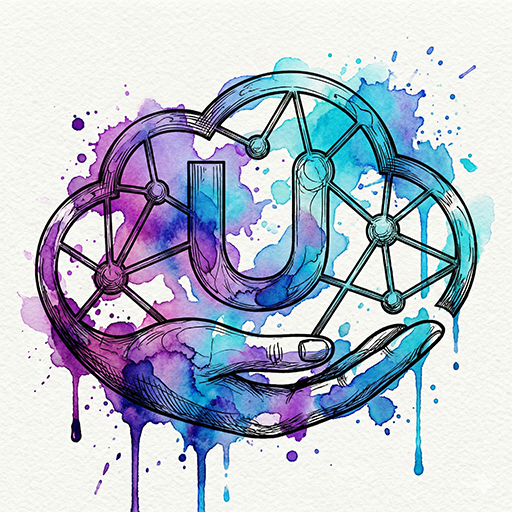

البرومبت
mixed-media illustration style, intricate lineart combined with vibrant watercolor splashes and ink drips, organic fluid flow, highly detailed, expressive liquid effects, splatters
mixed-media illustration style, intricate lineart combined with vibrant watercolor splashes and ink drips, organic fluid flow, highly detailed, expressive liquid effects, splatters
التعليمات
كيفية استخدام برومبت تأثير تناثر الألوان المائية (Watercolor Splatter Effect)
يمكنك تطبيق هذا التأثير بطريقتين مختلفتين لتحويل صورك إلى أعمال فنية حيوية ذات طابع فني تعبيري:
1) دمجه مع وصف نصي (Text-to-Image)
اكتب موضوع صورتك الأساسي (مثل: “وجه امرأة” أو “أسد”) ثم أضف كلمات التأثير التالية في نهاية الوصف:
... with watercolor splatter effect, fluid paint splashes, organic watercolor textures, expressive artistic style.
هذا الأسلوب يمنح الصورة:
تناثر ألوان مائية عفوي
إحساسًا عضويًا وانسيابيًا
طابعًا فنيًا يدويًا غنيًا بالتفاصيل
2) تطبيقه على صورة جاهزة (Image-to-Image)
ارفع صورتك الخاصة على المنصة التي تستخدمها، ثم أضف كلمات التأثير (Prompt Modifiers) في خانة الوصف لتوجيه الذكاء الاصطناعي لإعادة رسمها بأسلوب الألوان المائية المتناثرة، مع الحفاظ على ملامح الصورة الأصلية وإضفاء لمسة فنية ناعمة.
أين يمكنك استخدامه؟
Midjourney
الأفضل للحصول على نتائج فنية عالية الجودة ولمسات بصرية غنية بالتفاصيل.
Leonardo.ai
يمنحك تحكمًا ممتازًا في نمط Image-to-Image وضبط شدة تناثر الألوان.
DALL-E 3 (عبر ChatGPT)
سهل الاستخدام؛ فقط اطلب إضافة “Watercolor Splatter Effect” إلى الصورة.
Adobe Firefly
ممتاز لتطبيق التأثير على أجزاء محددة من الصورة مع تحكم دقيق.
How to Use the Watercolor Splatter Effect Prompt
You can apply this effect in two different ways to transform your images into vibrant, expressive artistic works:
1) Combine It with a Text Prompt (Text-to-Image)
Write your main subject (for example, “a woman’s face” or “a lion”), then add the following effect keywords at the end of the description:
... with watercolor splatter effect, fluid paint splashes, organic watercolor textures, expressive artistic style.
This approach gives the image:
Spontaneous watercolor splatters
A fluid, organic feel
A handcrafted artistic look rich in detail
2) Apply It to an Existing Image (Image-to-Image)
Upload your own image to the platform you’re using, then add the effect keywords (Prompt Modifiers) in the description field. This guides the AI to reinterpret the image in a watercolor splatter style while preserving the original features and adding a soft artistic touch.
Where Can You Use It?
Midjourney
Best for high-quality artistic results with rich, detailed visuals.
Leonardo.ai
Offers excellent control over Image-to-Image workflows and the intensity of color splatter effects.
DALL-E 3 (via ChatGPT)
Very easy to use—simply ask to add the “Watercolor Splatter Effect” to your image.
Adobe Firefly
Ideal for applying the effect to specific parts of an image with precise control.